Auto Post to Instagram Free: Templates, App and Scheduler
Posting every day by hand burns out most creators within a month. Here is how Instagram post automation really works, what you can do for free, and five templates you can copy in one click.
By The Vimitron Team · · 12 min read
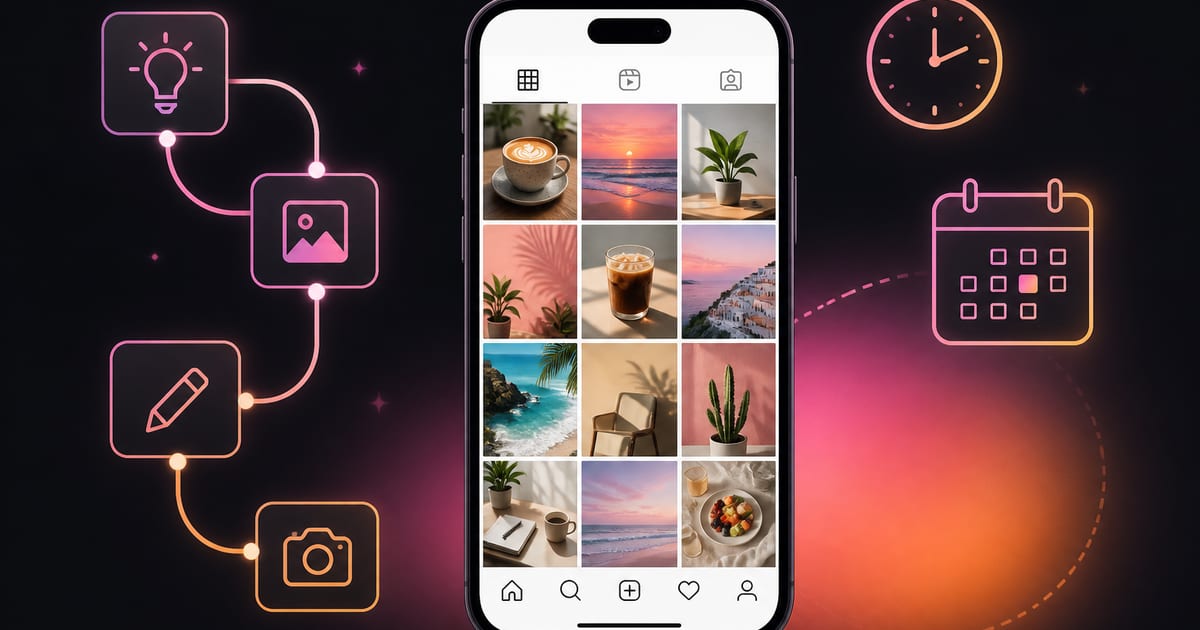
Why automate Instagram posts at all
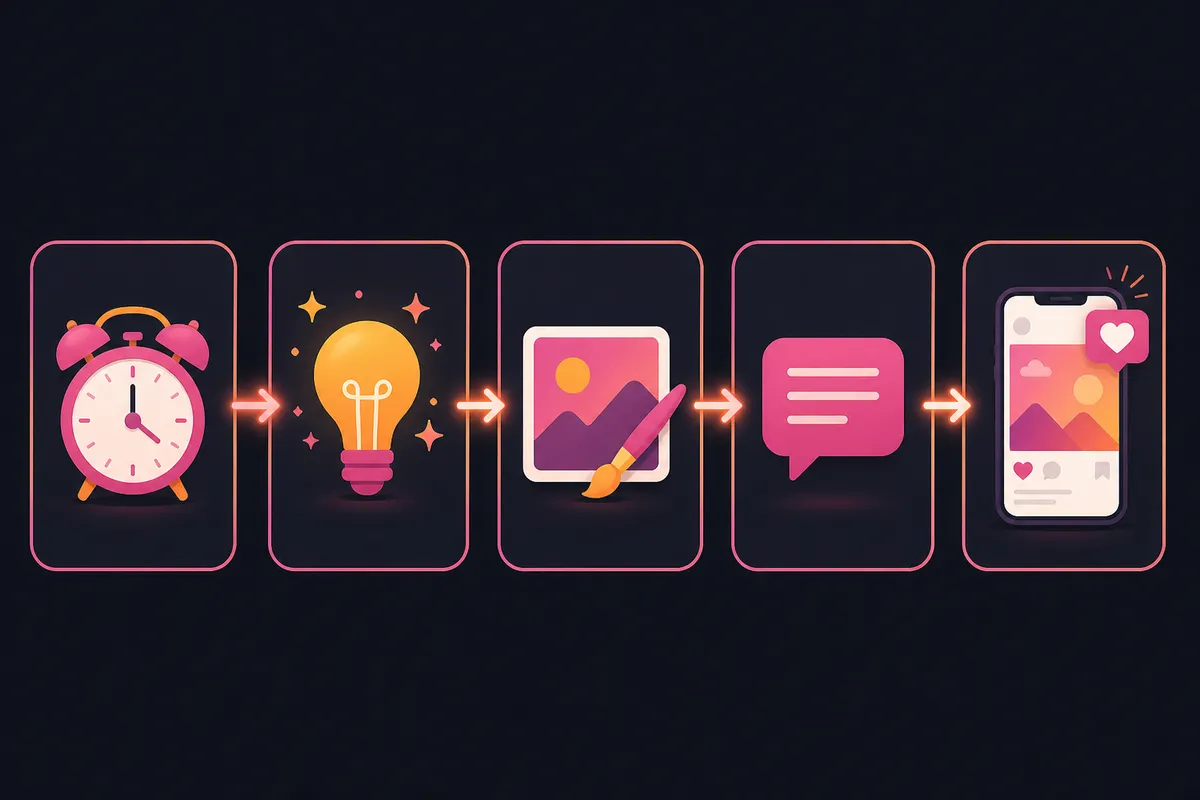
Most people who start an Instagram account for a side project, a small shop or a personal brand hit the same wall around week three. Making one good post takes an hour: find an idea, make the image, write a caption, pick hashtags, then remember to post at a sensible time. Doing that every single day while working a normal job is where accounts go quiet.
Post automation for Instagram removes the repetitive part. You decide the style, the topic and the schedule once. After that, a workflow creates the image, writes the caption and publishes it for you, and you only step in to review or tweak. This guide explains how that works, what you can do completely free, which tools you need, and five Instagram post automation templates you can copy into your account in one click.
Short answer. Yes, you can auto post to Instagram for free. You need an Instagram professional account (Business or Creator) linked to a Facebook Page, and an app that publishes through Meta's official API. Everything below uses that official route, so you never share your password.
Can you auto post to Instagram for free?
A lot of people search "can you schedule Instagram posts" because they assume Instagram blocks it. It doesn't. Meta offers an official Content Publishing API that approved apps use to publish feed images, videos and Reels on your behalf. The catch is that it only works for professional accounts, and it comes with a few rules worth knowing before you build anything.
| Requirement | What it means for you |
|---|---|
| Professional account | Switch your profile to Business or Creator in Instagram settings. Personal accounts can't be published to by any app. |
| Linked Facebook Page | Meta connects publishing through a Facebook Page. Create an empty Page if you don't have one and link it to the Instagram account. |
| Official sign-in | You approve access on Meta's own screen. A trustworthy app never asks for your Instagram password. |
| Daily limit | Meta caps API publishing at around 50 to 100 posts in a rolling 24 hours per account. Far more than anyone should post. |
| Media rules | Feed images must be JPEG. Reels must be MP4 (H.264 video, AAC audio) and between 3 and 90 seconds long. |
What costs money is not the posting itself. It is the work around it: generating images, writing captions, rendering video. A free Instagram scheduler only moves a post you already made to a later time. A post automation app also makes the post. That difference matters when you compare tools, so the next section separates them clearly.
Four ways to get posts onto Instagram
| Method | Who makes the post | Who publishes it | Good for |
|---|---|---|---|
| Posting by hand | You | You, at the right time | Occasional posts and live moments |
| Instagram's built-in scheduling | You | Instagram, at a set time | A few planned posts a week |
| Scheduler apps with a calendar | You | The app | Teams with content already made |
| Automation workflows | AI, from your instructions | The workflow, on a schedule | Daily posting without daily work |
Instagram's own scheduling and most free Instagram post schedulers are great if you already batch-create content on a Sunday. If the bottleneck is making the content in the first place, you need the fourth option: a workflow that generates and publishes. That is what the rest of this guide focuses on.
Tools in Vimitron that automate Instagram posts
Vimitron is a no-code workflow builder for content. You drag steps onto a canvas, connect them with wires, and the workflow runs on a schedule. Each step below is a node you can use. None of them need an API key or a server of your own.
| Tool | What it does for Instagram |
|---|---|
| AI Text Generator | Writes post ideas, captions and hashtags from your instructions. You set the voice once in its system prompt. |
| AI Image Generator | Turns a prompt into a square feed image or a 9:16 vertical image with 35+ models such as Flux and Seedream. |
| AI Video Generator | Creates short vertical videos from text with models like Veo, Kling and LTX, ready to post as Reels. |
| Add Music | Combines a still image with a music track into a vertical video, which Instagram publishes as a Reel. |
| AI Agent | Searches the web and today's news, reads pages and summarises what it found, so posts can react to real events. |
| Video Captions | Transcribes speech in a video and burns subtitles into it, which helps Reels watched without sound. |
| Image Tools | Upscales images, removes backgrounds or edits an image with a prompt before it's posted. |
| Canvas | Lets you place text, shapes and your logo over an image for branded posts. |
| Instagram node | Publishes the image or Reel with the caption to your connected account, right away or at a set date and time. |
| Multi-Channel Publisher | Posts the same image and caption to Instagram, Facebook and X in one step. |
| Schedule | Runs the whole workflow on a timetable, such as every day at 9:00 in your time zone. |
| Telegram | Sends you a message when a post goes out, so you can check it from your phone. |
Every account gets 50 free tokens every day, plus 150 bonus tokens when you sign up. One image on a fast model such as Flux Schnell costs 30 tokens and each text step costs a few tokens, so a simple daily image post fits inside or very close to the free daily allowance. Video Reels cost more because video models are priced per second. Every node shows its price before it runs, and the tokens guide lists the current prices.
Step by step: auto post your first Instagram image
This takes about ten minutes the first time. You will end up with a workflow that posts one AI image with a caption every morning, which you can pause at any time.
- Prepare your Instagram account: In the Instagram app, open Settings, then Account type and tools, and switch to a professional account. Link it to a Facebook Page under Accounts Center. This is a one-time step.
- Connect Instagram: Sign up free, open the Socials page and click Connect next to Instagram. Approve access on Meta's screen. You'll see your account listed as connected.
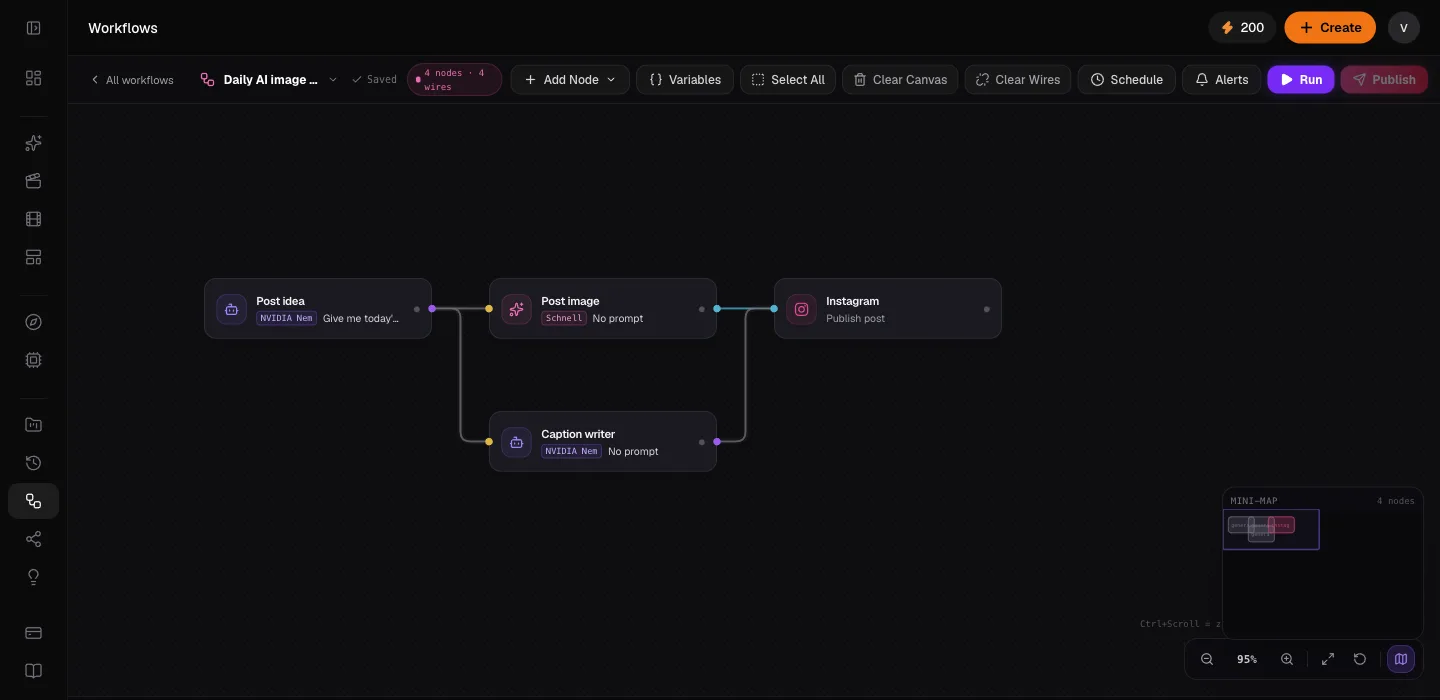
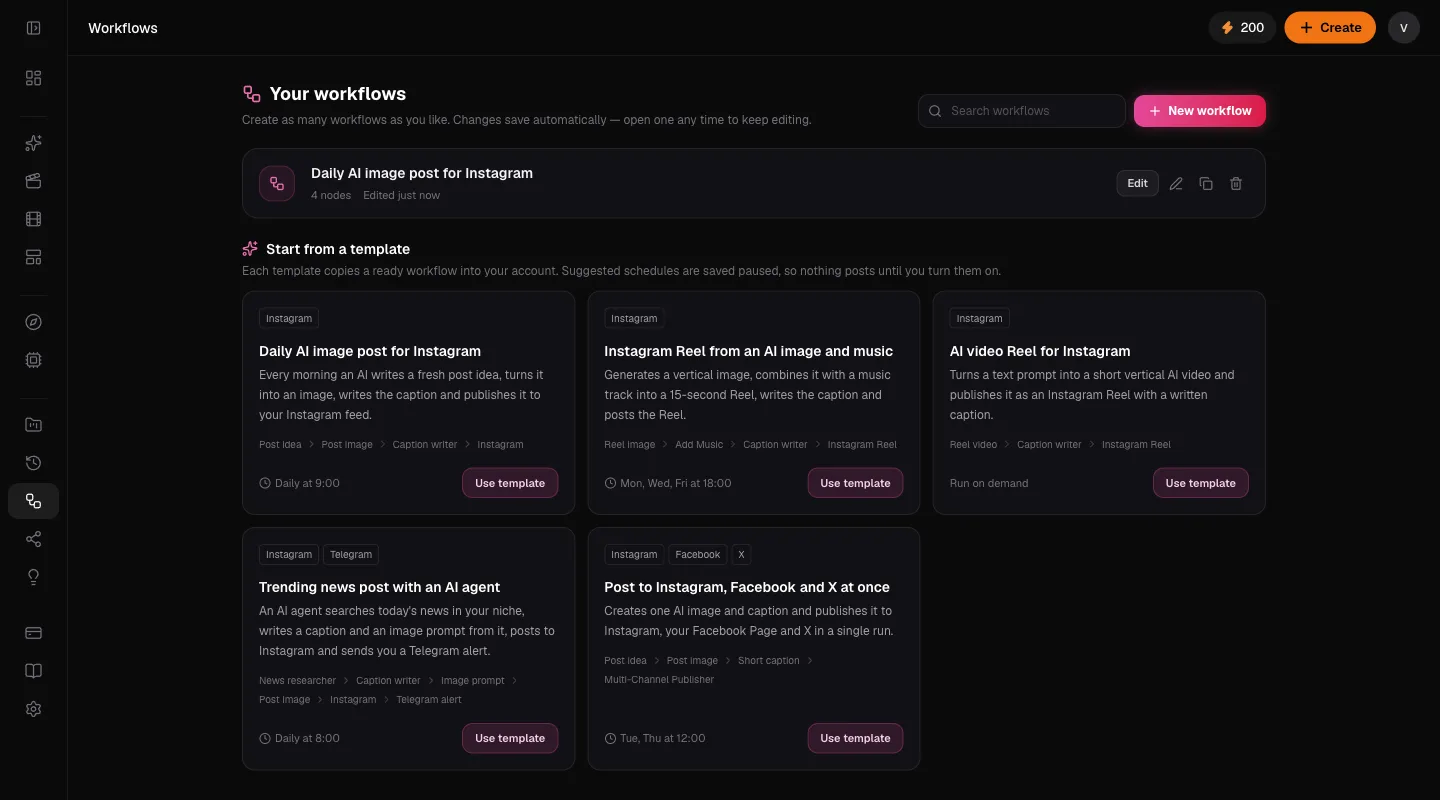
- Add the daily post template: Open Workflows and choose Daily AI image post for Instagram. A copy of the workflow opens in the editor with every node already wired.
- Make it yours: Click the Post idea node and change the niche in its prompt, for example "budget vegetarian dinners" instead of home workspaces. Open Caption writer if you want a different tone of voice.
- Run it once: Click Run. Watch each node light up, then check the image and caption it produced. If you don't like them, adjust the prompts and run again. Nothing is posted until the Instagram node runs successfully.
- Turn on the schedule: Open Schedule. The template suggests every day at 9:00 in your time zone, saved paused. Change the time if you like, switch it on, and save.
Review before you automate. Run a new workflow by hand for two or three days and read every caption before you turn the schedule on. Once you trust the output, let it run and spot-check it once a week.
5 free Instagram post automation templates
Each template below is a real workflow you can copy into your account. They are free to add, and their suggested schedules are saved paused so nothing posts until you switch it on. You only pay tokens for the AI steps when a workflow actually runs.
1. Daily AI image post
The workhorse. An AI writes a fresh image idea in your niche every morning, the image model draws it as a square post, a second text step writes a warm caption with a question and five hashtags, and the Instagram node publishes it. Best for niche accounts like recipes, quotes, travel moods or interior ideas.
- Schedule 9:00
- Post idea
- Post image
- Caption writer
Daily AI image post Copies the workflow into your account with a paused daily schedule. Use template
2. Instagram Reel from an AI image and music
Reels reach people who don't follow you yet, so it pays to post them. This template generates a vertical 9:16 image, combines it with a music track into a 15-second video, and publishes it as a Reel. Pick a track you have the rights to in the Add Music node. It is the simplest Instagram Reel template that still looks deliberate.
- Reel image
- Add Music
- Caption writer
- Instagram Reel
Reel from image and music Suggested schedule: Monday, Wednesday and Friday at 18:00. Use template
3. AI video Reel
When a still image isn't enough, this template asks a video model for a six-second vertical clip from your prompt and posts it as a Reel with a caption. Short, concrete prompts with one subject and one camera move work best, for example "slow push-in on a steaming coffee by a rainy window".
- Reel video
- Caption writer
- Instagram Reel
AI video Reel Runs on demand. Add a schedule once you like the results. Use template
4. Trending news post with an AI agent
For accounts that comment on an industry, an AI agent searches today's news on your topic, summarises the biggest story with its source, and hands it to a caption writer and an image prompt writer. The post goes to Instagram and you get a Telegram message when it's live. Always read these before enabling the schedule, because news changes fast and you are responsible for what you publish.
- News researcher
- Caption writer
- Image prompt
- Post image
- Telegram alert
Trending news post Suggested schedule: every day at 8:00. Use template
5. Post to Instagram, Facebook and X at once
If you keep more than one profile alive, this template makes one image and a short caption, then the Multi-Channel Publisher posts it to Instagram, your Facebook Page and X together. The caption is kept under 240 characters so it fits on X without being cut.
- Post idea
- Post image
- Short caption
- Multi-Channel Publisher
Cross-post to three networks Suggested schedule: Tuesday and Thursday at 12:00. Use template
How to choose an Instagram post automation app
Search results for the best apps for scheduling Instagram posts are full of lists that rank tools by affiliate payout. Instead of trusting a list, check any app, including this one, against these points.
- It uses the official API. You connect through Meta's sign-in screen. Any app that asks for your Instagram password, or promises to post "without login" by automating a browser, puts your account at risk of being locked.
- It publishes automatically. Some free schedulers only send a reminder notification and you still tap Post. Check that posts go live on their own.
- It supports the formats you post. Feed images, Reels, and whether Stories or carousels are supported today. Formats differ a lot between tools.
- It can make content, not just schedule it. If creating posts is your bottleneck, a scheduler alone won't fix it.
- The free plan is real. Look for clear limits, no credit card at sign-up, and prices shown before anything is charged.
- You can see what happened. Run history and alerts tell you when a post failed, so a broken token doesn't silently stop your account for weeks.
In Vimitron, publishing feed images and Reels is supported today through the official Instagram API. Stories and carousels are not published by workflows yet. If those formats are central to your plan, pair a workflow for daily feed posts and Reels with Instagram's own tools for Stories.
Best practices for automated Instagram posts
Automation makes it easy to post more. It doesn't make every post worth reading. These habits keep an automated account looking like a person runs it.
- Post less, but consistently. One good post a day, or three Reels a week, beats five rushed posts. Consistency trains both the algorithm and your followers.
- Pick times from your own data. The best time to post on Instagram depends on your audience. After two weeks, open Insights, look at when your followers are active, and move the schedule there.
- Write captions with a clear voice. Put your tone in the caption writer's instructions: who you talk to, words you never use, how long captions should be. End with a question to invite comments.
- Keep hashtags relevant and few. Three to five specific hashtags work better than thirty generic ones, and they look less like spam.
- Reply by hand. Automate the posting, not the conversation. Answering comments yourself is what builds a following.
- Stay within the rules. Only post images, music and news you have the right to use, label AI-generated images where Instagram asks you to, and never automate likes, follows or comments.
Troubleshooting automated Instagram posts
| Problem | Likely cause | Fix |
|---|---|---|
| Instagram isn't in the list after connecting | The account is personal or not linked to a Facebook Page | Switch to a professional account, link a Page, then connect again. |
| The post failed with a permissions error | Access was removed or expired | Reconnect Instagram on the Socials page. Workflow run history shows the exact error. |
| A Reel failed to process | Wrong format or length | Reels must be MP4 between 3 and 90 seconds. The Add Music and video nodes produce valid files by default. |
| The caption is empty or generic | The caption node didn't get any input | Check that a wire runs from the caption node into the Instagram node, then run it again. |
| The schedule didn't run | The schedule is paused, or you ran out of tokens | Open Schedule and switch it on. Check your token balance in the sidebar. |
For deeper detail on each node, the workflow docs, the social publishing guide and the media nodes guide walk through every setting.
Start small, then let it run
You don't need a paid scheduler, a developer or an hour every day to keep an Instagram account active. Connect a professional account, copy one template, run it by hand until you trust it, and then switch on the schedule. Most people start with the daily image post, add the Reel template a week later, and only then think about cross-posting.
Try Instagram post automation free 50 free tokens every day, no credit card. Add the daily post template and run it in minutes. Start free
Frequently asked questions
Can I auto post to Instagram for free?
Yes. Vimitron gives every account 50 free tokens a day, which covers about one AI image post daily, and publishing to Instagram through the official API has no extra fee. You need an Instagram professional account linked to a Facebook Page.
Can you schedule Instagram posts without an app?
Yes. Instagram and Meta Business Suite let you schedule posts you have already made. You still create each image and caption yourself. An automation app is useful when you also want the post to be created for you.
Is it safe to use an Instagram post automation app?
It is safe when the app connects through Meta's official sign-in and Content Publishing API, because you never share your password and Instagram knows the app is allowed to publish. Avoid tools that ask for your password or automate likes, follows or comments.
Can I schedule Instagram Reels automatically?
Yes. The Reel templates create a vertical video, either from an AI image plus music or from an AI video model, and publish it as a Reel on your schedule. Reels must be MP4 files between 3 and 90 seconds.
Does automation work with a personal Instagram account?
No. Meta only allows apps to publish to professional accounts. Switching a personal account to a free Creator or Business account takes a minute in Instagram settings and keeps your followers and posts.
Will automated posts hurt my reach?
Instagram doesn't penalise posts because they were published through the official API. Reach depends on how people react to the post, so keep quality high, post consistently and reply to comments yourself.