How to Build a Social Media Agent That Scrapes Info and Sends Alerts
Checking the same pages every morning is a job for a machine. This guide builds an agent that reads public sources on a schedule, skips what you have already seen, and pings you on Telegram or email when something new appears.
By The Vimitron Team · · 8 min read
What a social media agent actually does
Most people who follow a niche end up with the same morning routine. Open a competitor's blog, check the news for a brand name, scroll a few public pages, and see whether anything changed since yesterday. It takes twenty minutes and most days the answer is no.
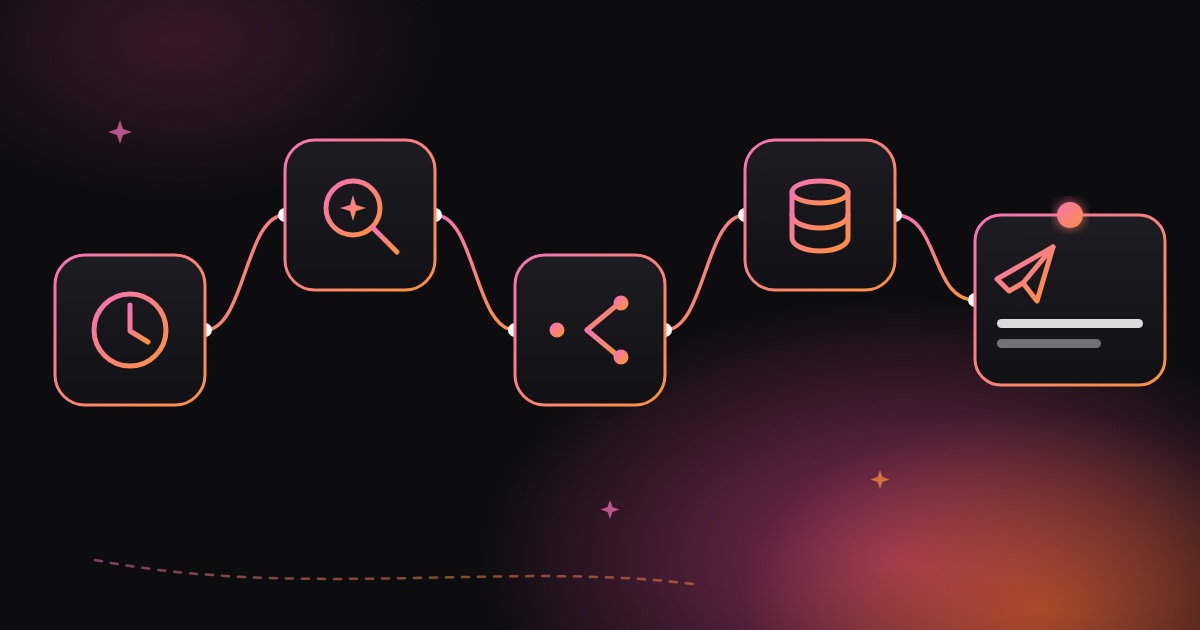
A social media agent does that loop for you. On a schedule it reads the sources you chose, works out what is new compared with the last run, and sends you a short message only when there is something worth reading. This guide shows how to build one in the Vimitron workflow editor, using nodes that already exist, and where its limits are.
Short answer. Schedule a workflow that runs an AI Agent node (web search, news search and page reading), compare its answer with a saved variable, and send only new items through a Telegram or Gmail node. The saved variable is what gives the agent a memory between runs.
- Schedule
- AI Agent
- If
- Set Fields (save memory)
- Telegram or Gmail
What it can read, and what it cannot
Set expectations first, because this is where most monitoring projects go wrong. The agent reads public web pages and search results. It downloads a page, pulls out the main text and ignores menus and scripts. It does not log in anywhere and it does not run a page's JavaScript.
That rules out most of what people mean by scraping social networks. Profiles on Instagram, TikTok or X sit behind logins, load their content with scripts and block automated readers, and collecting that data usually breaks the platform's terms. Do not build around it. Track what is genuinely public instead.
| Good source to watch | Why it works |
|---|---|
| Company blogs and press pages | Plain HTML, new posts appear at predictable places |
| News coverage of a brand, product or topic | The news search tool is built for this, with a recency filter |
| Public forums and community pages | Readable without login, text-heavy |
| Changelogs, release notes and pricing pages | Small changes matter, and they are static pages |
| Wikipedia entries | A built-in tool, useful for tracking a topic or person |
Respect the sites you read. Check a site's terms and robots rules before pointing a scheduled agent at it, keep the schedule gentle (once or twice a day is plenty), and use the results for your own awareness rather than republishing other people's content.
The nodes you need
Five pieces, all available from the node picker in the workflow editor. If you are new to the editor, the workflow docs cover the canvas and how wires work.
| Step | Node | Job |
|---|---|---|
| 1 | Workflow schedule | Runs the whole chain on a cron timer. It is a setting in the toolbar, not a node. |
| 2 | AI Agent | Searches, reads pages and writes the answer. See the AI Agent docs. |
| 3 | If (Condition) | Stops the run quietly when the agent found nothing new. |
| 4 | Set Fields | Copies the answer into a saved variable so the next run can read it. |
| 5 | Telegram or Gmail | Delivers the alert. |
One node you might expect to use is Code (JavaScript), the usual place to compare old and new data. It cannot run in scheduled runs, because user code would execute inside the server process. A scheduled workflow fails on it, so this design avoids it and lets the agent do the comparison instead.
Giving the agent a memory with variables
An agent on its own has no idea what it told you yesterday. Variables fix that. A variable is a saved value that belongs to your account. Any node can write to it, and any later node, including the next scheduled run, can read it with {{ $vars.name }}.
This workflow uses one variable, watch_seen. It holds the items from the last alert. Each run, the agent receives that text inside its task and is told to report only items that are not already in it.
- A variable value can be up to 10,000 characters and a key up to 64, so store short summaries and links, never whole pages.
- Variables belong to your account, not to one workflow. Give each watcher its own prefix, such as
competitor_seenandbrand_news_seen, or two workflows will overwrite each other. - Create the variable once before the first run (for example
watch_seenwith the valuenothing yet). An expression with no matching variable is left as literal text, and the agent would read it as the last report.
Build it step by step
- Connect Telegram: Open Socials, click Connect Telegram and choose a private chat, group or channel. A private chat with the bot is the simplest place for alerts to land.
- Create the variable: Add a variable named
watch_seenwith the valuenothing yet. - Add the AI Agent node: Turn on Web search, News search and Read a page. Set recency to Past day, keep Max steps at 5 and choose the Plain answer format. Paste the task from the next section.
- Add an If (Condition) node: Wire the agent's answer into it. Set the field to
answer, the operator to contains and the value toNO_NEW_ITEMS. The True output means nothing new, so leave it unconnected and the run ends there. - Add a Set Fields node on the False output: Add one field named
seenwith the value{{ $json.answer }}. In its Save output to variables section, turn saving on, use the prefixwatchand store only theseenfield. That writes$vars.watch_seen. - Add the Telegram node: Pick your chat and write the message as
New on your watchlist:followed by{{ $vars.watch_seen }}. Variables saved earlier in the run are available to later nodes. - Run it twice, then schedule it: Click Run and read the log. Run it again straight away: the second run should end at the If node with no message. Then open Schedule, pick a time and switch it on.
The task text that makes it work
The task is the whole brain of the workflow, so it is worth writing carefully. Replace the bracketed parts with your own sources. The {{ $vars.watch_seen }} line is filled in with the saved variable each time the node runs.
Check these sources for new posts, announcements or news from the last 24 hours:
- [https://example.com/blog]
- news coverage of [your brand or topic]

Last time you reported:
{{ $vars.watch_seen }}

List only the items that are NOT in that report. For each one, write one line saying what it is and include its link.
If there is nothing new, reply with exactly NO_NEW_ITEMS and nothing else.
Three details do most of the work here. The fixed phrase NO_NEW_ITEMS gives the If node something reliable to match. Asking for links makes each item checkable. And limiting the window to 24 hours stops the agent from digging up old articles that were never in your last report.
Start from a template. The trending news agent template already contains a configured AI Agent node with the right tools and a Telegram alert. Copy it, then replace the tasks and drop the posting step. Copied templates start with their schedule paused.
What it costs and how long it takes
An agent run costs 10 tokens plus 2 for each successful search or page read. Failed calls are not charged. With Max steps at 5, a run uses at most 20 tokens, so a daily watcher stays small. See tokens and pricing for what a token buys.
A run has a 50-second ceiling, which keeps it inside the server's function limit, and most simple checks finish well before that. If a source is slow, you get a partial answer instead of a crash. Keep the list to two or three sources per agent. If you need ten, build several small workflows instead of one big task.
Limits and how to work around them
- The agent judges what is new. A language model compares the text, so it can occasionally call something new that is not, or miss a small change. Read the alerts for the first week and tighten the task wording if needed.
- Memory covers the last alert only. Because
watch_seenis overwritten with each alert, an item reported two alerts ago could resurface if a search returns it again. For longer memory, ask the agent to keep a short list of recent titles at the end of its answer. - No JavaScript rendering. A page that builds its content in the browser can come back nearly empty. When that happens, search for the news about the page rather than reading the page itself.
- Free models can be rate limited. If runs fail at busy times, pick a different model in the agent settings.
To get a failure message when a scheduled run breaks, turn on Alerts in the workflow toolbar. It sends a Telegram message after a failed run, so a silent workflow never goes unnoticed.
Sending the alert by email instead
Swap the last node for Gmail if you would rather get an email or a daily digest. Connect your Google account in the node, set the recipient, write a subject such as New on your watchlist and put {{ $vars.watch_seen }} in the body. Turn off attaching media, since there is no image in this workflow.
You can also keep both. Wire the Set Fields node into a Telegram node and a Gmail node at the same time, and you get a quick ping on your phone plus an email you can search later.
Build your first watcher Open the editor, add an AI Agent node and wire it to Telegram. Daily free tokens cover a small watcher. Open the workflow editor
Frequently asked questions
Can I build a social media agent without coding?
Yes. The workflow editor is visual, and the agent is described in plain language. You wire the nodes together and write one task paragraph. No programming is needed, though the Code node is not available in scheduled runs.
Can the agent scrape Instagram or TikTok profiles?
No. Those platforms need a login, build their pages with scripts and restrict automated access. The agent reads public web pages and search results, so track blogs, news coverage, forums and changelogs instead.
How does the agent know what is new?
A saved variable holds the items from your last alert. That text is placed inside the agent's task on every run, and the agent is told to report only items missing from it. A language model makes that call, so check the first alerts.
How often should I run it?
Once or twice a day is enough for most sources and keeps token use low. Running more often rarely finds more, and it puts needless load on the sites you read.
Can I get the alerts by email instead of Telegram?
Yes. Use the Gmail node as the last step and put the saved variable in the email body. You can also send to Telegram and Gmail from the same workflow.
Is this an alternative to n8n?
It covers the same idea of chaining a schedule, an AI step and a notification on a visual canvas, with the agent and its search tools built in. It is smaller than n8n, and some things, like running custom code in scheduled runs, are not available.