How to Create an Intelligent Telegram Bot Without Coding (With Memory)
Most no-code Telegram bots answer every message as if it were the first. This guide builds one that remembers what was said, by saving each exchange to your own database and feeding the last few back to the AI.
By The Vimitron Team · · 7 min read
What makes a Telegram bot intelligent
Plenty of guides show how to connect a Telegram bot to an AI model in ten minutes. The bot works, until the second message. Ask it a question, then ask "and what about the cheaper one?" and it has no idea what you mean, because every message reaches the model on its own.
Two things separate a useful bot from a demo. It needs an AI step that writes the answer, and it needs memory, a record of what was already said. This guide builds both in the visual workflow editor without writing code, and keeps the history in a database you control.
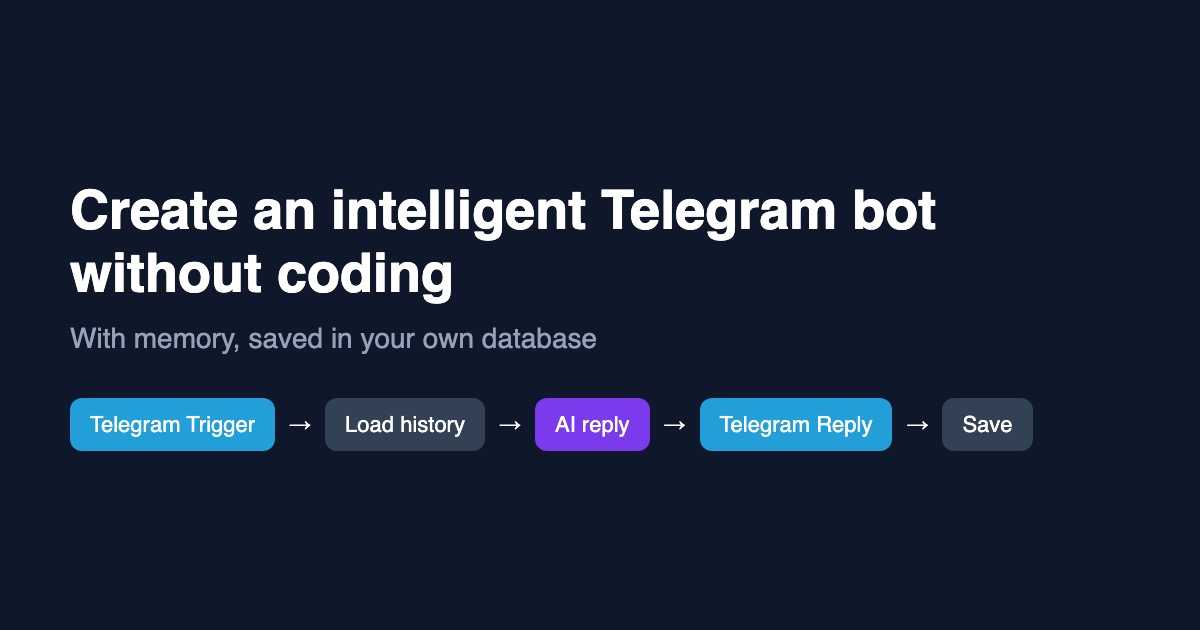
Short answer. Use a Telegram Trigger to receive messages, a Database node to load the last few exchanges, an AI Text Generator to write the reply, a Telegram Reply node to send it, and a second Database node to save the new exchange.
- Telegram Trigger
- Database (load history)
- AI Text Generator
- Telegram Reply
- Database (save)
What you need before you start
- A Telegram bot. Create one by messaging @BotFather and following its prompts. It gives you a bot token.
- A Vimitron account. The workflow editor, the Telegram connection and the AI node are all inside it.
- A PostgreSQL or MySQL database that is reachable from the internet. A free tier from any managed provider is enough. A database on your laptop or a private network cannot be reached.
- One table for the conversation. The SQL is in the next section and takes a minute.
Use a separate database user. Create a database user that can only read and write the chat table, and use that in the connection. The node encrypts the password and the connection can be set to read-only, but a narrow user means a mistake can never touch anything else.
Create the table that holds the memory
The bot needs one table with a row per message. Run this once in your database console. The chat column lets one bot keep separate conversations for each person who writes to it.
CREATE TABLE bot_messages (
  id         bigserial PRIMARY KEY,
  chat_ref   text NOT NULL,
  role       text NOT NULL,
  message    text NOT NULL,
  created_at timestamptz NOT NULL DEFAULT now()
);

CREATE INDEX bot_messages_chat_idx ON bot_messages (chat_ref, id DESC);
The index matters once the table grows. The bot always asks for the newest few rows of one chat, and this index lets the database answer that without reading everything. On MySQL, replace bigserial with BIGINT AUTO_INCREMENT and timestamptz with DATETIME.
Connect Telegram and the database
- Connect your bot: Open Socials, choose Connect Telegram and paste the token from BotFather. Messages sent to your bot will now start workflow runs.
- Add the database connection: Add a Database node in the workflow editor, open its settings and create a connection: type, host, port, database name, user and password. Keep Encrypt the connection on, then press Test connection.
- Keep it read-only where you can: The load step only reads, so it runs inside a read-only transaction. Writes need an explicit switch on the save node, which is the one place that changes data.
The node is built so that values are always sent separately from the SQL text. A message like '; DROP TABLE bot_messages; -- is stored as plain text and never runs as SQL.
Build the workflow step by step
- Add the Telegram Trigger: Pick your bot. Every incoming message starts a run and provides the text, the sender's name and a chat reference you will use as the memory key.
- Add a Database node named Load history: Set the operation to SQL, leave writes off, and paste the query from the next section. Wire the trigger's Details output into it.
- Add an AI Text Generator: Write the system prompt in the next section, then put the history and the new message in the prompt. Wire the Database node into it.
- Add a Telegram Reply node: Wire the AI text into it. A reply node answers the same chat that sent the message, so there is nothing to pick.
- Add a Database node named Save exchange: Set the operation to SQL and switch on Allow writes. Run it after the reply so a failed save never blocks the answer.
The queries and the prompt
Load the last six messages of this chat. The query asks for the newest rows, and the outer select puts them back in reading order. Each {{ }} expression becomes a bound value, so no quoting is needed.
SELECT role, message FROM (
  SELECT id, role, message
  FROM bot_messages
  WHERE chat_ref = {{ $node["Telegram Trigger"].chatRef }}
  ORDER BY id DESC
  LIMIT 6
) recent
ORDER BY id ASC
The AI node then receives the history and the new message. Keep the instructions short and concrete. A narrow job gives better answers than a broad one.
You are a friendly support assistant for [your product]. Answer in two or three short sentences.
If you do not know, say so and offer to pass the question to a person. Never invent prices or policies.

Conversation so far:
{{ $node["Load history"].rows }}

New message from the customer:
{{ $node["Telegram Trigger"].text }}
Finally, save both sides of the exchange with one statement. Writing the customer's message and the bot's answer together keeps the order correct.
INSERT INTO bot_messages (chat_ref, role, message) VALUES
  ({{ $node["Telegram Trigger"].chatRef }}, 'customer', {{ $node["Telegram Trigger"].text }}),
  ({{ $node["Telegram Trigger"].chatRef }}, 'bot', {{ $node["AI Text Generator"].text }})
Skip the wiring with a template. The Telegram AI bot with memory template creates all five nodes already connected, with the queries and prompt from this guide filled in. You only pick your bot and database.
Check the field names in your own editor. Node labels and output field names come from what you named them. Open the variable picker in each node and click the value instead of typing it, so the expression always matches.
Test it before you share the bot
Press Run in the editor, then message the bot from your phone. Open the run log and read each step. The load step should return no rows the first time and the save step should report two rows written.
- Send "My name is Sam", then "What is my name?". If the bot answers correctly, memory works.
- Open the table in your database console and confirm two new rows per exchange.
- Message from a second Telegram account and check that the conversations do not mix.
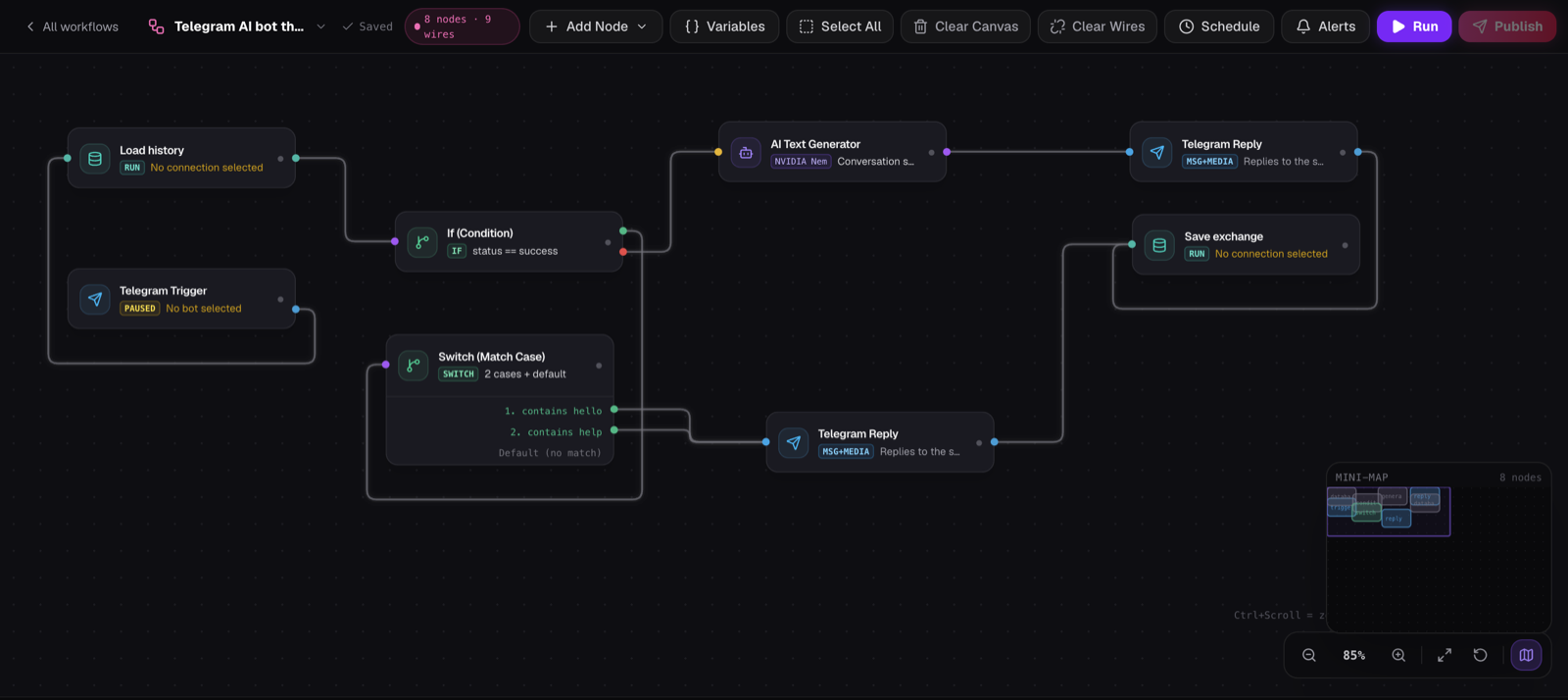
The canvas above is a larger build than the five nodes in this guide. Start with the five, get memory working, then add branches like the Switch node to answer common words such as "hello" or "help" without calling the AI at all, which is faster and costs nothing.
Limits and what to watch
- Memory is the last few messages, not everything. Six messages keeps answers fast and cheap. Raising the limit sends more text to the model on every message.
- The AI can still be wrong. For anything involving money, health or legal advice, tell the bot to hand off to a person instead of answering.
- Replies take a few seconds. Each step is a round trip, and a database in a distant region adds delay. Pick a database region near your servers.
- Store only what you need. Chat history contains personal data. Delete old rows on a schedule and say in your bot's description that conversations are saved.
Telegram's own rules also apply. Bots should not message people who have not started a chat with them, and sending the same promotional text to many users gets bots limited.
Ideas once the basic bot works
| Idea | What to add |
|---|---|
| Order status bot | Replace the history query with a lookup in your orders table, and let the AI phrase the result |
| Lead capture | Save every new chat's first message in a leads table and send yourself a Telegram alert |
| Daily digest | Add a schedule that reads yesterday's rows and posts a summary to a channel |
| FAQ bot | Keep answers in a table and put the matching rows in the prompt |
Build your first Telegram bot Open the editor, add a Telegram Trigger and a Telegram Reply, and send your bot a message. Open the workflow editor
Frequently asked questions
Can I create a Telegram bot without coding?
Yes. You create the bot in BotFather, connect it in the workflow editor and wire nodes together visually. The only text you write is the AI prompt and, for memory, two short SQL statements that this guide gives you.
How does the bot remember the conversation?
Each message and answer is saved as a row in your database. Before the AI replies, the workflow loads the last few rows for that chat and includes them in the prompt, so the model sees the recent conversation.
Do I need my own database?
For memory that you control, yes. A free managed PostgreSQL or MySQL database is enough, as long as it is reachable from the internet. Without a database the bot still works, but it treats each message as new.
Is it safe to connect my database?
The password is stored encrypted and never sent back to your browser. Values from chat messages are sent separately from the SQL text, so they cannot change the query. Still, use a database user limited to the one table.
Is this an alternative to n8n?
It covers the same idea of a trigger, an AI step and a reply on a visual canvas, with Telegram and database nodes built in and nothing to host yourself. n8n is larger and more flexible, so the right choice depends on how much you want to configure.